Guides
Which UGC creator creation tools earn their keep
Fifteen named cameras, mics, lights and editing apps, judged on what a UGC shoot actually demands: production, rights, workflow, reliability, support.
The useful question is not whether a tool has impressive features, but whether it helps complete the briefs you actually receive. Compare the purchase price and recurring charges with the work required, then keep spending focused on capabilities that affect delivery rather than upgrades made on speculation.
What makes a tool worth its price?
A tool earns its cost when it solves a real production or delivery problem. Set the brief's requirements first, then compare them with what your current equipment and software can already do.
Before buying, note the requested format, length, captions and raw-footage requirements. Those details reveal whether an existing phone and apps are enough or whether a specific capability is missing. Count cards, batteries, storage, subscriptions and backups in the total; the startup cost overview can help frame that calculation.
What should I compare between tools?
Compare production, rights, workflow, reliability and support. Together, these checks show whether a tool can capture the material, support the intended use, fit the handoff, work dependably and offer help or repairs when needed.
Production includes autofocus that follows a face, usable sound in kitchens or outdoors, and battery-powered lighting. Rights concern ownership of files and commercial permissions. Workflow tracks footage from card through conversion and editing to delivery; reliability includes heat, connections, battery doors and firmware, while support covers repairs, parts and help. See the production quality criteria for a related assessment.
Five purchase factors
- Productionholds up on a real shoot
- Rightswho owns the file
- Workflowcard to client link
- Reliabilityoverheating, dropped connections, firmware
- Supportrepair turnaround, spare parts, human on phone
The ratings below are editorial judgments, ordered as production, rights, workflow, reliability and support. Prices are typical US street prices rather than guaranteed quotes, so check them before purchasing. Each entry pairs a common use with a limitation; weigh both against the deliverable you need to provide.
| Tool | Typical price | Score P/R/W/Rel/Sup | Best for; main limit |
|---|---|---|---|
| Apple iPhone | $999-$1,199 (Pro) | 5/3/5/5/4 | Talking-head; limit: storage, gimbal |
| Samsung Galaxy | $300-$1,300 | 4/3/5/4/4 | Android-first; limit: video differs by model |
| Sony Alpha | $1,800-$2,500 body | 5/4/4/4/3 | Brand work naming a real camera; limit: lens cost |
| Canon EOS | $700-$2,500 | 5/4/4/4/3 | Less grading; limit: RF lens prices |
| DJI | $520-$800 | 4/3/4/3/3 | Walking shots; limit: drone rules, battery |
| Rode | $150-$300 | 4/4/5/4/3 | Talking briefs; limit: wireless interference |
| Shure | $250-$400 | 5/4/4/5/4 | Studio voice; limit: needs interface or USB |
| Godox | $100-$600 | 4/4/3/4/3 | Budget kit building; limit: color consistency |
| Aputure | $170-$700 | 5/4/4/5/3 | Indoor product work; limit: power, stands |
| Adobe Premiere Pro | $23-$60 per month | 4/4/4/4/4 | Agency work; limit: subscription only |
| DaVinci Resolve | Free, $295 Studio | 5/4/4/5/3 | Owning software; limit: learning curve |
| Descript | Free, $12-$24 per month | 4/3/5/4/4 | Talking-head edits; limit: transcript timing shifts |
| CapCut | Free, $8-$10 per month | 4/3/5/4/3 | Phone-first vertical; limit: asset terms |
| Canva | Free, $120 per year | 3/3/5/5/4 | Rate cards; limit: not an editor |
| Frame.io | Free tier, $15-$25 per seat | 4/4/4/5/4 | Timestamped review; limit: client login, storage caps |
Which capture tools match a real brief?
Use the phone you already own for talking-head, unboxing and lifestyle work unless a client specifies a camera or your phone cannot create the required shot. A dedicated camera is justified by a brief that needs it, not simply by the prospect of newer equipment.
Recent Pro iPhones offer ProRes, Log and stabilization, while using an owned phone can avoid a camera purchase; storage or a gimbal may still add expense. Samsung Galaxy suits Android-first creators, and the Ultra line performs well in low light. Choose against requested footage rather than a possible future upgrade.
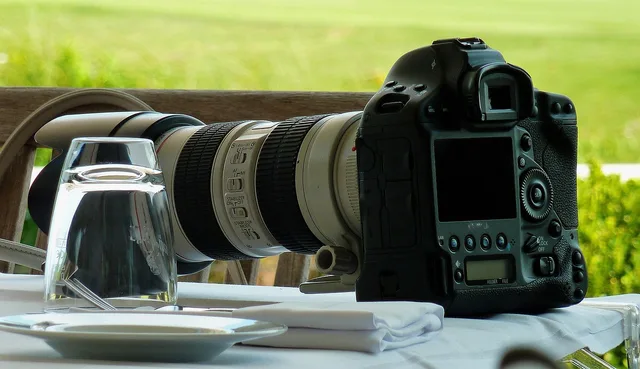
Sony a7 IV and FX30 bodies provide clean 4K, autofocus and a broad lens ecosystem. Canon R6 Mark II and R50 files need less grading. DJI Osmo Pocket 3 supports smooth walking shots, while Mini-series drones suit exterior work. Before flying, check where the FAA permits flight.
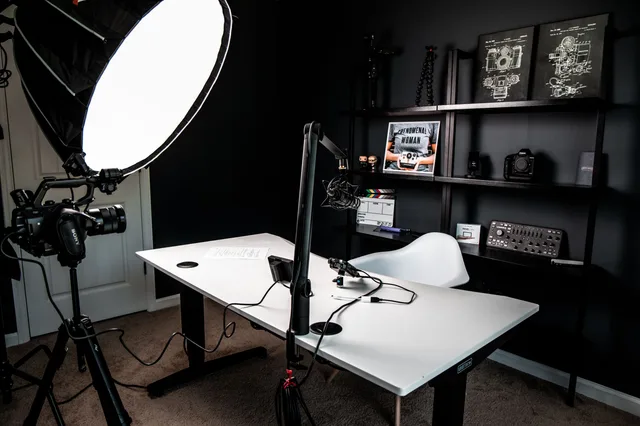
Rode Wireless ME and Wireless GO II connect a transmitter and receiver to a phone or camera, addressing poor spoken audio at lower cost. Shure MV7 and SM7B suit desk recording or voiceover but require USB or an interface. Aputure suits scheduled indoor product work; Godox offers lower-cost strobes and LED panels with modifier options.
A modest kit can serve until an assignment calls for additional equipment. Consider a tripod, spare batteries, cards and microphone against the kit checklist. If a client requests a camera for one shoot, compare a two-day rental with buying; a temporary need does not automatically call for a lasting expense.
Which software helps me deliver the work?
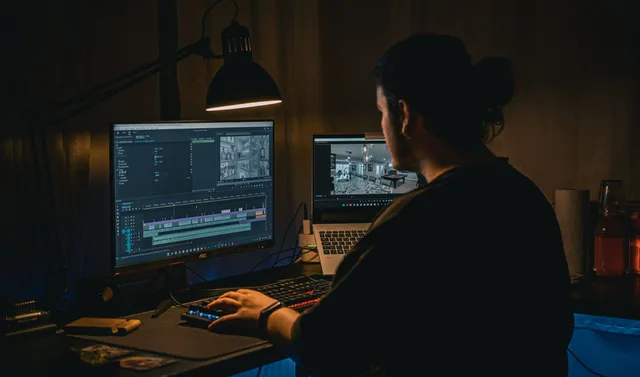
Choose software according to the recipient of the project and the delivery timeline. Premiere Pro suits agency collaboration, Resolve offers free and one-time Studio options, and CapCut supports quick vertical edits; software comparisons provide other choices.
Premiere Pro is subscription-based and fits projects passed to another editor. Resolve offers color tools through either a free version or a $295 Studio licence. CapCut combines quick vertical editing, auto-captions and templates for TikTok and Reels. Choose an app that fits the client handoff and the requested output, not just the editing features.
Descript supports text-based editing, filler-word removal and studio sound for talking-head work or turning one shoot into five clips. Frame.io offers timestamped review and approval, and works with Premiere and Resolve. Canva can create thumbnails, rate cards, one-sheets and carousel graphics, but does not edit footage; the handoff sequence can help identify workflow snags.
What app permissions should I verify?
Check the terms for the app and for any included media separately. Confirm that the specific assets can be used in commercial client delivery, and leave permission unverified when the wording does not make the position clear.
| App | Commercial client delivery |
|---|---|
| Adobe Premiere Pro | Yes, for your own output; verify stock and music |
| DaVinci Resolve | Yes, for your own output |
| CapCut | Unverified; music and template assets carry limits |
| Canva | Pro content covers client work; free assets limited |
| Descript | Yes, for your own output; verify added media |
Client terms should establish file ownership, usage duration and territory; unclear wording can be referred to an attorney. The rights terms provide a wider check. Sponsored work also calls for applicable disclosure and a truthful-claims review before publishing.
When is spending more justified?
Spend more when the brief calls for a capability and the fee can support its cost. For a one-time request to use a camera you do not own, compare a two-day rental with a purchase; renting can avoid keeping expensive gear for a single assignment.
The brief changes the calculation: a $600 skincare talking-head job can use an owned phone and about $360 in new kit, while a $2,500 raw-delivery campaign may justify a Sony body and accessories. For a $250 urgent clip, a phone, $150 lav and $40 tripod are preferable to buying a camera.
Subscriptions spread costs over time, while a one-time licence may cost less across several years. Compare payment models with the period you expect to use the tool, and check its permissions before relying on it. Judge purchases by delivery needs and ongoing expenses rather than by the amount due at the outset.
What safety and flight checks matter before filming?
Before filming, clear loose cables from walkways, put lights on stable stands and check rights alongside practical hazards. OSHA's safety-management framework can serve as a reference for identifying hazards. For drone assignments, verify registration requirements and flight conditions before travelling to the location.
How do I know whether to keep a tool?
Review equipment each year against delivery times, costs and client requirements, then check current prices and app terms before buying. Add storage and backup costs to the annual total instead of assessing a tool only by its monthly fee or original price.
For each item, ask whether it saved time, enabled a required shot or prevented a delivery problem. If none applies, reconsider the expense instead of upgrading automatically. Keep dependable tools that serve briefs you actually receive and support a workable handoff; use, not novelty, should justify another year of ownership.
What should I do first?
Start with the brief, then test your existing kit and permissions against its requirements. Price only the gaps that could affect delivery, counting recurring charges and storage before deciding whether to buy, rent or stay with the current setup.
- Confirm format, length, captions and raw-footage requirements.
- Check whether your phone, tripod, microphone and light meet the brief.
- Review app permissions and client usage terms.
- Include storage, backups and recurring fees in the cost.
- Compare buying with renting when the requirement is for one shoot.