Guides
UGC creator production tools: what the good ones share
Good UGC production tools cut the gap between shooting and getting paid, and this guide names the specific editing apps and tracking platforms worth your kit.
What to take away
- Good tools share four traitsthey shorten the gap between shoot and delivery, keep files findable months later, produce evidence a sponsor or the FTC can check, and cost less than the job they replace.
- Frame.io, Notion, Airtable, Descript, and Google Drive cover review, briefs, asset tracking, editing, and storage for most solo creators.
- Every sponsored post needs a disclosure a viewer can see without clicking, per the FTC endorsement guides.
- Usage rights, exclusivity windows, and whitelisting are separate line items on a rate card, not bundled extras.
- Keep purchase records, invoices, and contract copies for at least three years; the IRS says how long, your CPA says which ones.
The UGC creator production tools below carry a brief from a sponsor's inbox to a paid invoice. This guide covers the business operations around them for UGC creators. It names real software and says what each one does.
Tax filing, contract drafting, and platform policy workarounds are out of scope. Those depend on your jurisdiction, your sponsor, and your platform's published terms.
Why "good tool" means something specific here
A UGC creator's production line has five stages: brief intake, scripting, filming, editing, and delivery with rights tracking. A tool earns its place if it shortens one of those stages or stops a file from going missing. Anything else is a subscription you forget to cancel.
UGC production line stages
- Brief intake
- Scripting
- Filming
- Editing
- Delivery with rights tracking
The real test is a month where you shoot four sponsored videos, revise two of them twice, and need to prove to a sponsor which version ran and when.
The tools worth naming
Frame.io handles video review. Sponsors and your editor leave timecoded comments on a draft, so "make the logo bigger at the start" becomes a note pinned to 0:04. It suits creators who send cuts to brand teams. A free tier covers small projects; paid plans typically run $15 to $25 per seat per month.
UGC production tools compared
Tool
- Frame.io
- Video review
- Notion
- Briefs and scripts
- Airtable
- Deliverable tracking
- Descript
- Transcript editing
- Drive/Dropbox
- Master storage
- CapCut/Premiere
- Editing
Job
- Frame.io
- Brand teams
- Notion
- 3+ sponsors
- Airtable
- Exclusivity checks
- Descript
- Talking-head work
- Drive/Dropbox
- Share links
- CapCut/Premiere
- Free to pro
Best for
- Frame.io
- $15-25/seat/mo
- Notion
- $10-12/seat/mo
- Airtable
- $20-24/seat/mo
- Descript
- $12-24/mo
- Drive/Dropbox
- $2-12/mo
- CapCut/Premiere
- Free or subscription
Typical paid price
- Frame.io
- Notion
- Airtable
- Descript
- Drive/Dropbox
- CapCut/Premiere
Notion holds the brief, the script, the shot list, and the delivery checklist on one page per job. It suits creators juggling three or more sponsors at once. Solo use is free; paid plans typically run $10 to $12 per seat per month and add version history and guest access.
Airtable tracks every deliverable as a row: sponsor, due date, usage window, exclusivity category, invoice status. It suits creators who need to answer "can I take a competitor deal in March" without opening email. Free tier; team plans typically $20 to $24 per seat per month.
Descript edits video by editing the transcript. Cut a sentence from the text and the video cuts with it. It suits talking-head and voiceover work. Free tier with a watermark; paid plans typically $12 to $24 a month.
Google Drive and Dropbox store masters and raw footage. Sponsors expect a share link, not a WeTransfer that expires. Google One's 100GB tier typically costs about $2 a month; Dropbox Plus, 2TB, about $12 a month.
CapCut and Adobe Premiere Pro cover editing at opposite ends. CapCut is free and fast for vertical social cuts, with a Pro tier under $10 a month. Premiere Pro is subscription software for longer or layered work, listed at about $23 a month for the single-app plan.
Epidemic Sound and Artlist license music for commercial use. A track cleared for personal videos is not cleared for a sponsored post. Epidemic Sound plans typically run $10 to $25 a month; Artlist starts around $10 a month billed annually.
What the tools must produce
Every tool on that list exists to produce one of four outputs: a cut the sponsor approves, a file you can find in six months, a disclosure a viewer can see, or a record that supports an invoice.
Four required tool outputs
- A cut the sponsor approves
- A file you can find in six months
- A disclosure a viewer can see
- A record that supports an invoice
The disclosure output is the one creators skip. The FTC endorsement guides require material connections between a creator and a brand to be disclosed clearly. Material connection covers payment, free product, discount codes, and affiliate links. The disclosure has to sit where a viewer sees it without tapping "more."
The FTC's advertising FAQs for small business add that claims in a sponsored video must be truthful and supported. The creator shares responsibility with the brand for what the video says. Script review is a compliance step as much as a creative one.
Setting up the production workflow
- Brief lands in Notion. You log the sponsor, deliverable count, due date, usage window, and exclusivity category in Airtable the same day.
- Script and shot list get written against the brief. Any product claim gets checked against what the brand sent you, not what you remember.
- Shoot day. Footage goes to a dated folder in Drive before you edit anything.
- Rough cut goes to Frame.io. Sponsor comments land as timecoded notes.
- Final cut, disclosure check, delivery link, invoice. Update the Airtable row to "invoiced."
- Thirty days later, check whether the usage window has closed and whether the sponsor wants an extension.
Step six is where money gets left on the table. A usage extension is a new license, priced separately from the original shoot fee.
Six-step production workflow
- Brief lands in Notion; log sponsor in Airtable
- Write script and shot list; verify product claims
- Shoot day; footage to dated Drive folder
- Rough cut to Frame.io for timecoded notes
- Final cut, disclosure check, delivery, invoice
- Thirty days later, check usage window
Where the equipment side fits
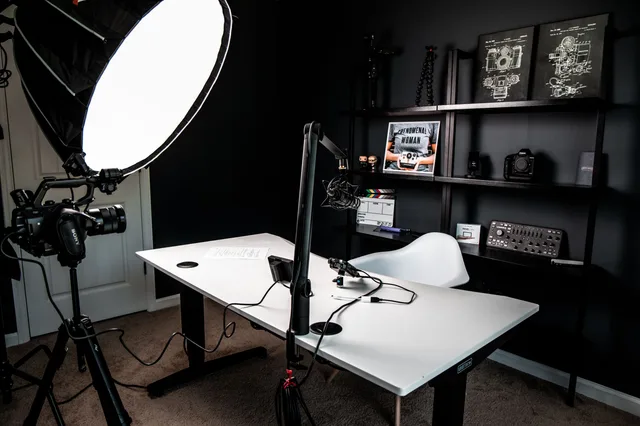
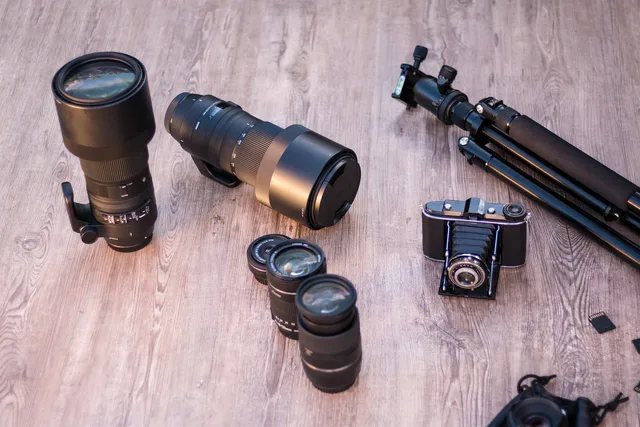
Camera, lens, light, and microphone choices follow the same logic as software: buy what the work demands, rent what it does not. A creator shooting three talking-head sponsors a month needs a reliable mic and a key light. A creator shooting one product video a quarter can rent.
The UGC creator production setup checklist covers the physical kit in detail. The software side is lighter: a laptop that handles your editing software, external storage for masters, and a backup drive.
Keep the receipts. The IRS recordkeeping guidance says a business may choose any system that clearly shows income and expenses, and that supporting documents for purchases and assets should be kept. Ask a CPA how long applies to your situation.
What breaks first
Underpriced usage extensions. The original shoot fee covers a defined window and territory. When a sponsor asks to run the video another six months, that is a new license. Creators who bundle it free train the sponsor to expect it free.
Dead sponsor marketplaces. Platforms that match creators with brands come and go. If your pipeline runs through one marketplace, you have one point of failure. Keep a direct contact list.
Vanity metrics. Follower count does not predict whether a sponsor renews. Watch rate, on-time delivery, and repeat bookings are what a partnership manager asks about.
Safety and workspace
Filming at home or on location carries ordinary physical risks: cables across walking paths, lights on unstable stands, long shoots without breaks. OSHA's safety management guidance describes finding and fixing hazards before an incident forces the issue. For a solo creator, a five-minute setup check covers it.
If you hire an editor or a second shooter, the how to start a UGC creator business guide covers contractor and 1099-NEC basics. The IRS publishes the thresholds; your CPA applies them.
Common questions
Do I need paid software to start?
No. CapCut, Google Drive, and a free Notion workspace cover a first sponsored video. Add Frame.io when a sponsor asks for timecoded review, and Airtable when you cannot track deliverables in your head. Upgrade when a tool's absence costs you a job, not before.
How do I price a usage extension?
Start from the original license fee and the new term. A six-month extension on a video that already performed well is worth more than the first six months, because the sponsor now has data. Quote it as a separate line, with its own start and end date.
Where does the disclosure go on a vertical video?
On screen, in the video, in words a viewer reads without expanding a caption. "Ad," "Sponsored," or "Paid partnership with [brand]" all work. A hashtag buried under twenty others does not. The FTC endorsement guides are the authority here, and a licensed attorney can review your template.
What records should I keep?
Purchase receipts, invoices sent, contracts and usage terms, and platform payout statements. The IRS recordkeeping page explains what supports income and expenses. How long to keep each type, and how to handle estimated taxes, is a question for a CPA.